


Contents
Best Whatsapp Trick and HacksSend StickerView Status without Letting them knowSending animated emojiManage privacy settingsUse Moded version of whatsapp with a lot of featuresAnti-Delete MessagesUse DP without CroppingHide a chat (not delete)Delete an already send the messageMake Your own Whatsapp stickersRead someone’s messageMessage to person by mentioning his/her name in the groupSave someone’s statusMark important Message as Starred And View It LaterUse dual WhatsAppRestore deleted media filesAutomatically reply to your friendsUse popup header like the messengerMove whatsapp to sd card.Edit your photos and videosSend fake locationHide photos videos from galleryCompress photo and videosRead all message at onceUninstall and re-install with one clickUnlock protected by password and patternChange Name and iconUse WhatsApp, messenger, we chat etc in one appClear all WhatsApp messages at onceMessage to block contactsType in Bold, Strikethrough, and italicUse WhatsApp on BluetoothPrank someone by a messageCreate a fake chatReading someone message by copying the database folderUse WhatsApp free for the lifetime:Hide photo and videos
Best Whatsapp Trick and Hacks
Are you bore by reading WhatsApp tricks again and again.
Or you are looking for some fantastic features of WhatsApp.
Then this post is for you. I have listed best WhatsApp tricks read one by one.
Other Articles you may like
-
Send Sticker
With the help of the new beta update, you can send stickers. Make sure you join the whatsapp beta program and download the latest update. After that, you will get the option of Sending stickers as shown in the screenshot.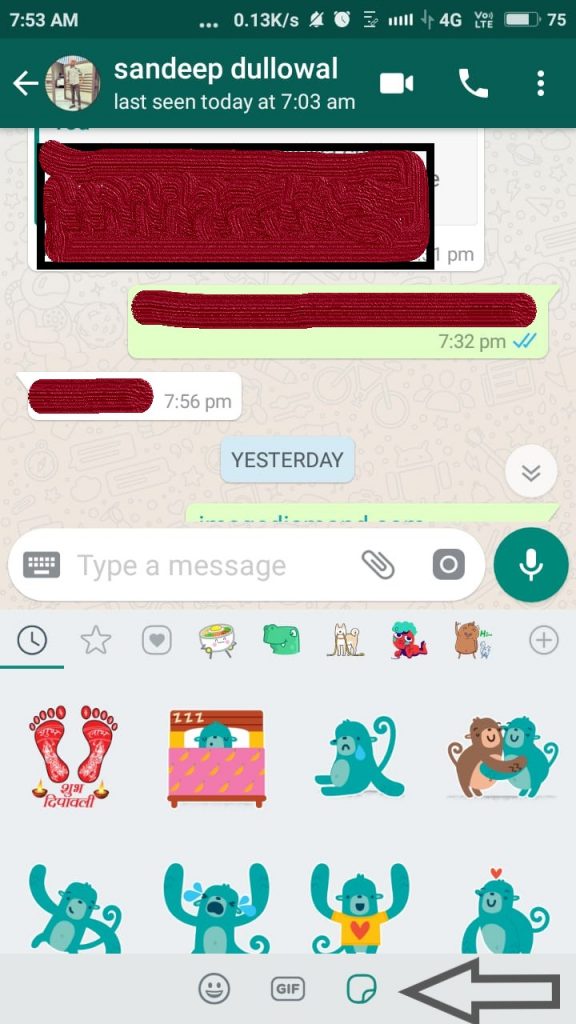
-
View Status without Letting them know
How amazing this if you can view someone status without letting them know. For this, you need to install the whatsfly app
After installing it as shown in the screenshot and click on whatsapp status saver.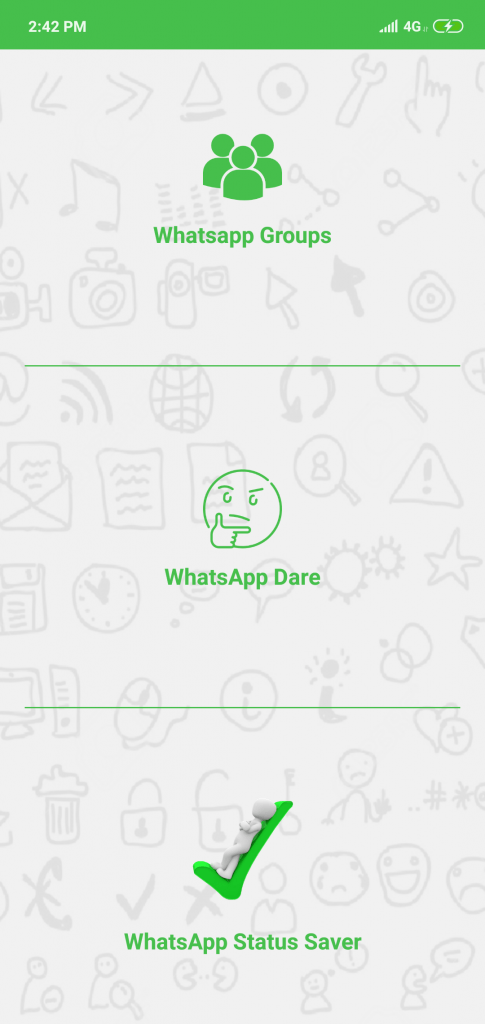
You will find some images and videos Here as shown in the screenshot.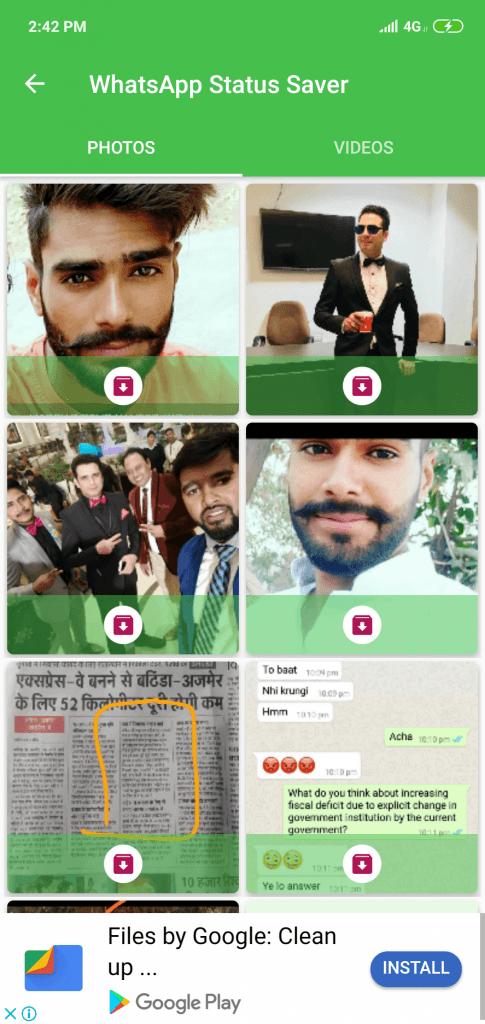 You can pull down to refresh. These are whatsapp status images which are automatically saved by this app. Although it does not work for all apps.
 -
Sending animated emoji
There is only one emoji (red heart) which is like a flash as given in screenshot and it will only work when you send heart icon only.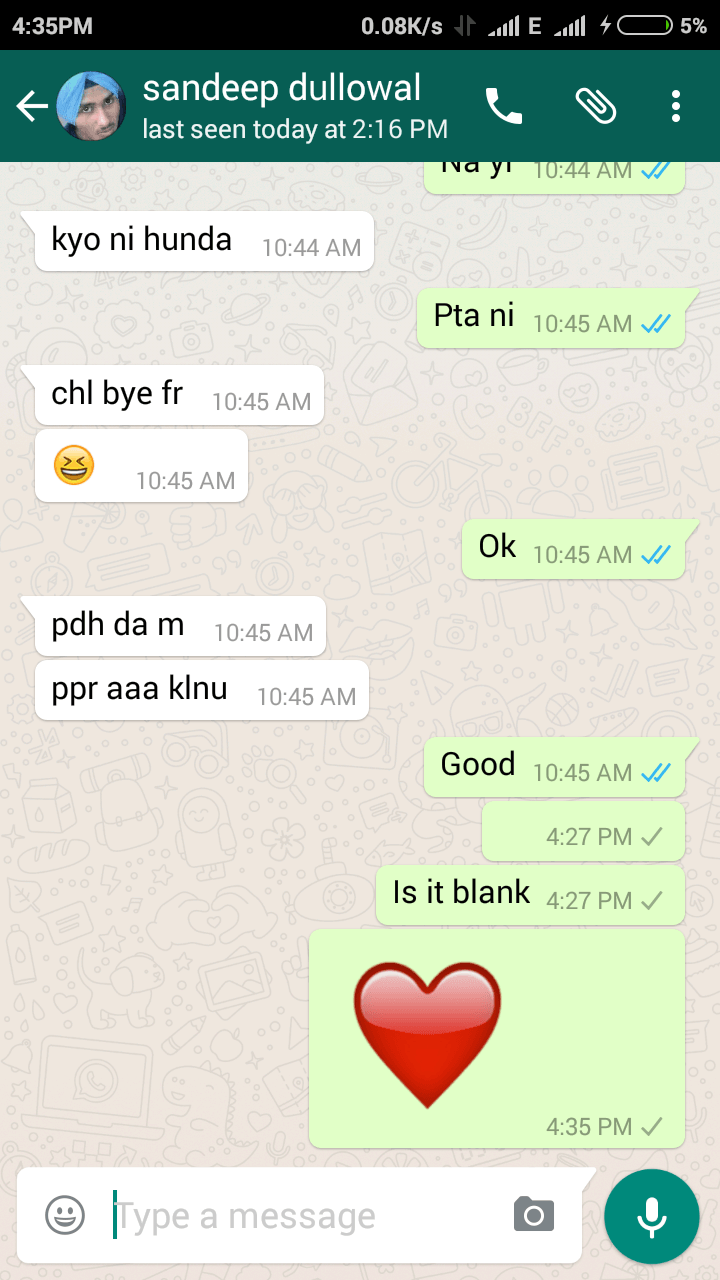
-
Manage privacy settings
The company takes care of user privacy. Recently company applies encryption. All basic privacy settings are controlled by settings→Account→ privacy here is the full list of all privacy settings.
Read recipient: it is blue tick show your friend to that you read his/her message. By default, it is tick mean everybody will know if you read his message. Off curse, you can’t find other side person read your message or not. For this untick Read receipts as shown in below screenshot.
Hide last seen: want to chat with the second girlfriend and don’t want to inform the first of hide your last seen. Follow the screenshot steps. Again you can’t find another person last seen.
Profile photo visible: Especially girls who don’t like someone see his/her photos can hide pictures to shown other there are three options 1. Only me 2. My contact( saved contacts on your phone and using WhatsApp) 3. Anyone.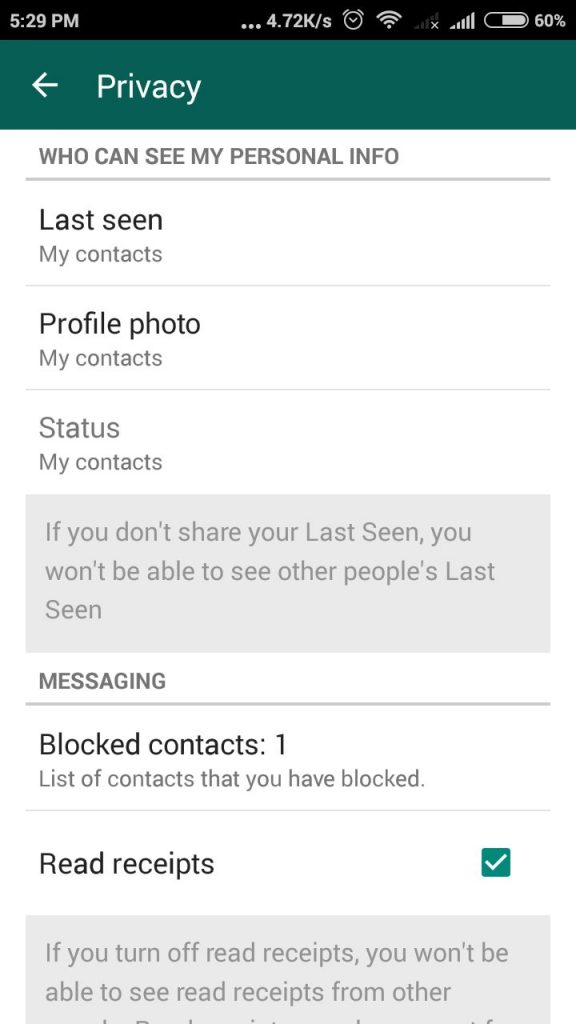
-
Use Moded version of whatsapp with a lot of features
There are some who add extraordinary features in whatsapp and make a version app with the different name. Like Yowhatsapp, and Gbwhatsapp. Using this you can view someone status without letting them know that you have viewed their status then download and use yowhatsapp. Open Menu→YoMods→Privacy and tick Show blue tick after reply under the Privacy section. Here tick Hide View status as shown in the screenshot.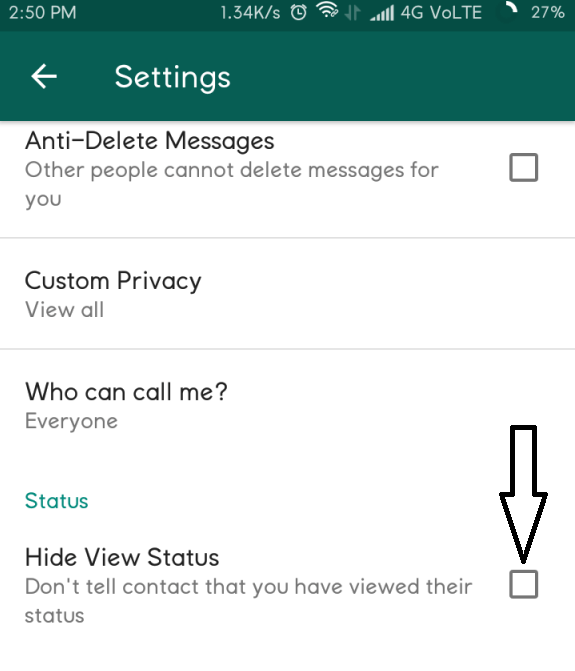
-
Anti-Delete Messages
If you have viewed above screenshot carefully then you note we have an anti-delete option. The company recently adds new feature delete the message after sending. ( I send a porn video in group I wish whatsapp introduced that feature on that time ). If you want that nobody well able to delete the message after sending then turns it on. -
Use DP without Cropping
If you want to apply the full image as Dp but without cropping them you Need to Resize Image to 192*192 pixel. You can use a website or app whatsappCrop -
Hide a chat (not delete)
There is an option for an archived chat which moves the chat to in archived section nobody scroll down to see chats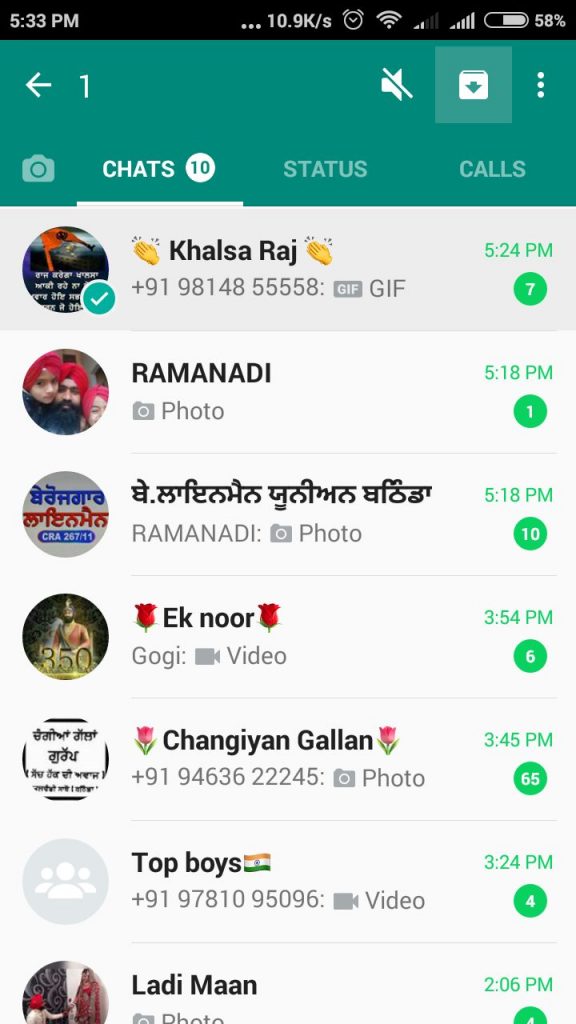
-
Delete an already send the message
I know you already know about this trick but I suppose a few of you don’t know about it. Anyway, you can apply this trick only after minutes of sending the message. After sending message select message and tap on delete icon and select delete for everyone as shown in the in the screenshot.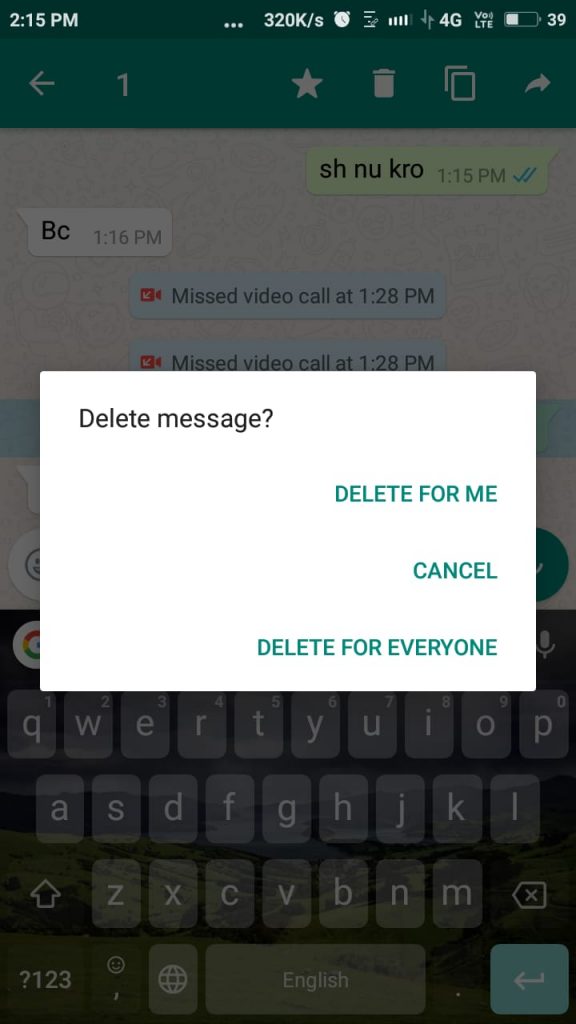
-
Make Your own Whatsapp stickers
Watch this video
Apps that you need
👉Whatsapp Beta Version Download Link:- https://drive.google.com/file/d/1Pq89… 👉Make Your Own Animated Gif for WhatsApp:- https://youtu.be/NrZWWq1UsRw -
Read someone’s message
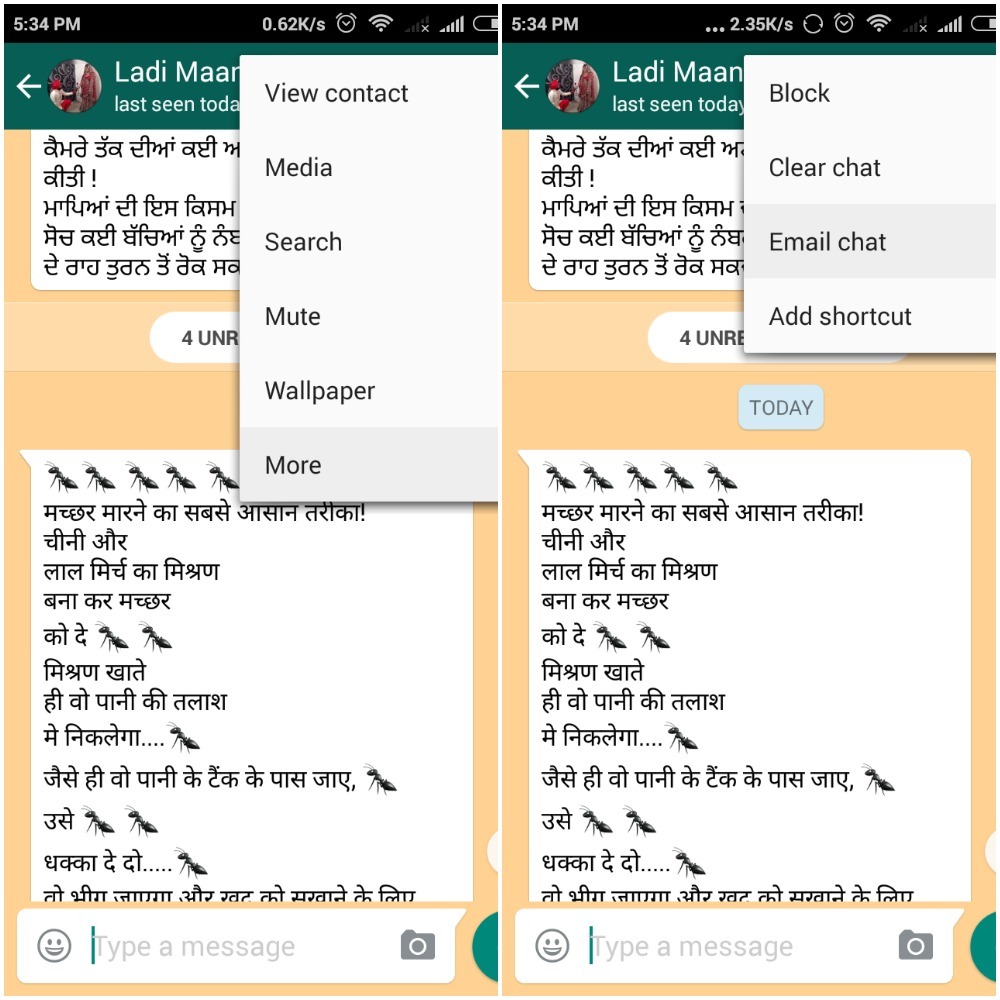
Using email chat you can read all the message of a person without informing her.- Open your enemy WhatsApp app
- Open chat which you want to know
- Click on menu select more and choose email chat
-
Message to person by mentioning his/her name in the group
In the groups, there can be 256 persons it is difficult to message or chat with the one person but you can mention his name by typing @. It is the same as we mention the name on facebook.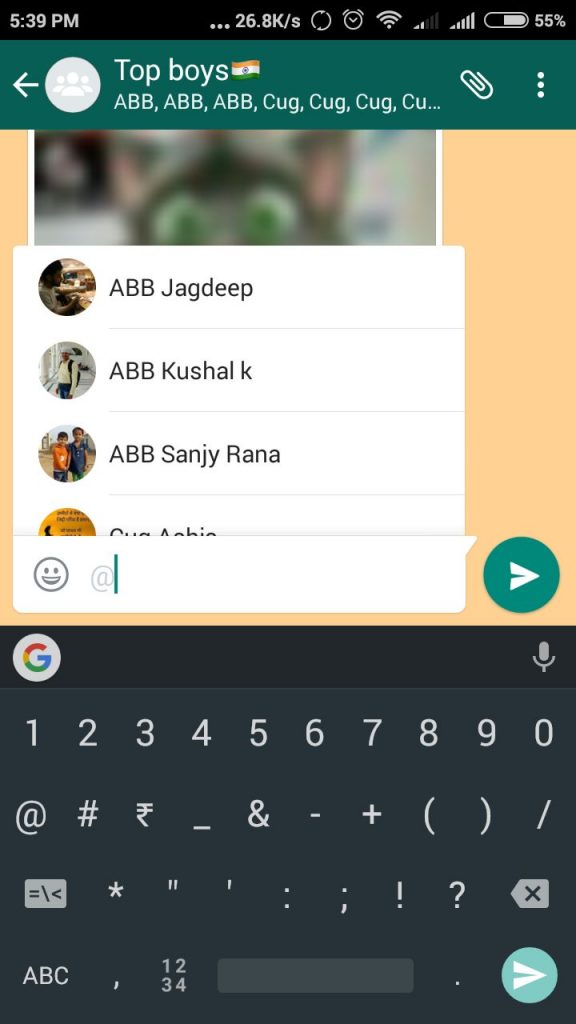
-
Save someone’s status
For this again you can use the whatsfly app. There are many apps I found whatsfly is easy to use and it comes with other feature like whatsapp groups links, whatsapp dare. -
Mark important Message as Starred And View It Later
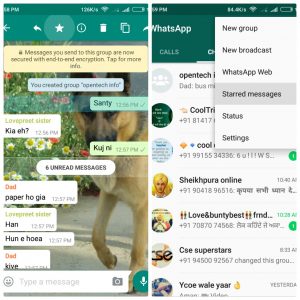
sometimes people sends us something that we want to store. Generally, we take the screenshot at that time. But you can save it using the start option. select that particular message and click on start. From the toggle menu, you check at any time. -
-
Use dual WhatsApp
Dual WhatsApp on a single phone is an easy process. Install parallel space( size: 1.72 MB) application from play store using this app and you can also use the dual account of any other app like hike, we chat, facebook etc.
Here is process how to use parallel space open it and click on clone button after that select WhatsApp choose to Add to parallel space now it will make an icon of WhatsApp where you can two accounts.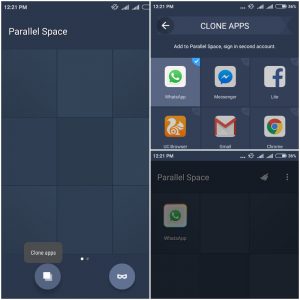
-
Restore deleted media files
Sometimes we delete some WhatsApp without backup. Message backup will automatically save in database folder and you can manually backup at any time but using following steps you can also recover media files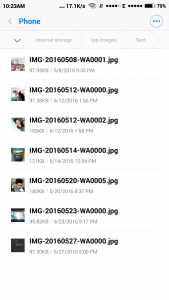
For photos go to whastapp→Media→Whatsapp images→sent same for video Media→Whatsapp video→sent These are only those which send by yourself. -
Automatically reply to your friends
To use this feature you have to root your phone after rooting You can automatically reply to your contacts and groups with the help of AutoResponder for WhatsApp (download now) app. In the free version, you can set only three messages person.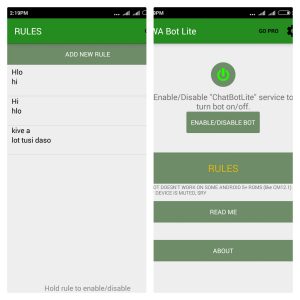 If you Don’t want to root your phone then here are some more apps like Auto-reply for whatsapp
 -
Use popup header like the messenger
For this trick, you have to change some settings on your android phone go to WhatsApp settings→notifications and change popup notification to only when screen is “on”.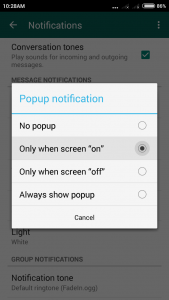 Here is how message appears
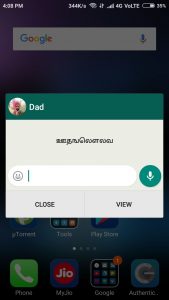 you know what is the meaning of this message please let me know by comments 🙂
 -
Move whatsapp to sd card.
Some Android phones haven’t function of moving downloaded apps to sd card. If your phone has low ram mean you want to move WhatsApp to SD card. following given steps to do this.- Root your phone
- Install system app remover(root) from play store
- Open it go to Move to sd card and select your apps
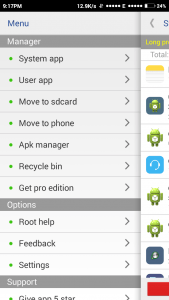 Using this app you can also delete system apps.
-
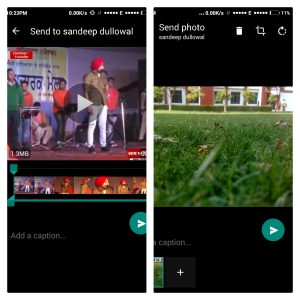
Edit your photos and videos
This is really hidden trick but you have only 2-3 features to edit photos and videos given the blow- Crop your photos
- Rotate your photos
- In video editing, you can just cut your videos
-
Send fake location
If you want to bypass your girlfriend doubt then you can send her your fake location. Install VPN-like hotspot shield and enable it then send your location. Your location will fake it will depend on which country you are connected. -
Hide photos videos from gallery
Sometimes our all pictures and video are not good to show someone or in or we want to hide all the content from the gallery. For this just rename your photo and video folder place. Before starting the name e.x. .whatsapp Images To gain images again chose menu in the file manager and click on show hidden folders. you can also hide photos using Private Photo Vault app. -
Compress photo and videos
This is one of my favorite tricks Maybe you don’t know but this app compress photos and videos for better speed here I also add a proof of this to use this feature you have to dual-use dual WhatsApp using parallel space.- Send photo videos from one number to another
- Download it from the second account
- Your task complete, see the size of the photo as given in screenshot I send 223 kb image which will become to 85 kb after sending
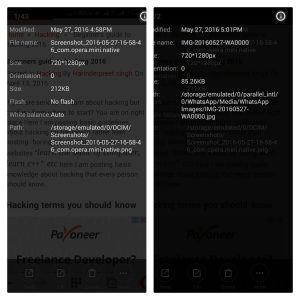 Note: If you don’t want to use dual WhatsApp then send it to your friend and say him to send you again.
 -
Read all message at once
Mainly in India where people make many groups just for sending entertainment videos, photos etc. In that case, you can read all messages at once using the mark as read option. Select your chats open menu from the sidebar to go to more and choose mark as read option.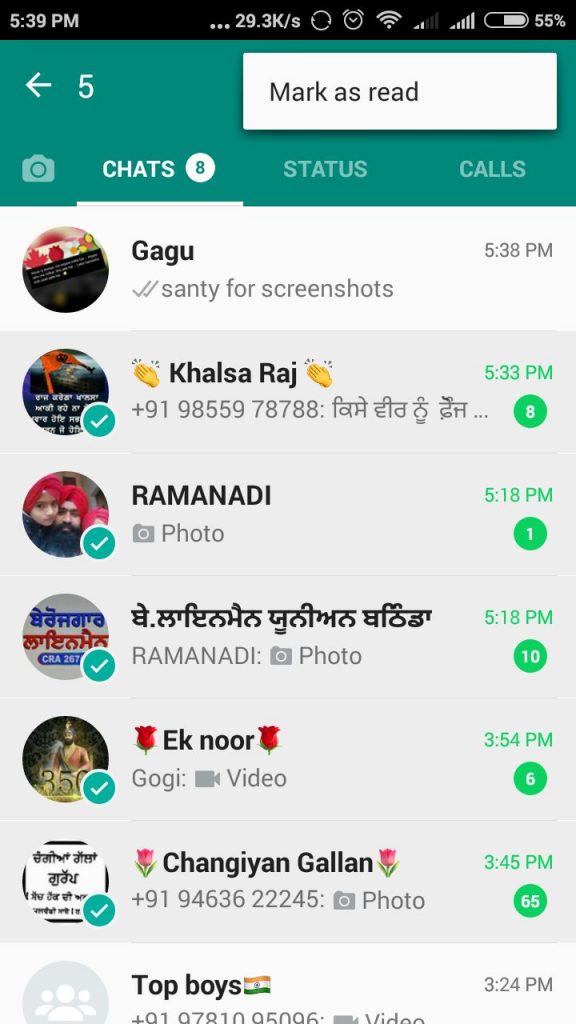
-
Uninstall and re-install with one click
If you buy an old phone where is already a WhatsApp installed of your friend and you can want to use it own number but not enough data pack in this situation follow given stepsOpen system settings→apps→whatsapp and click on clear data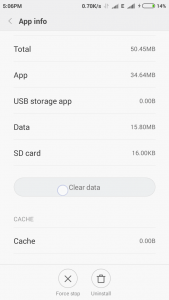
-
Unlock protected by password and pattern
If your friend protect his account with password or lock and you want to read his message don’t worry try the following procedure- The method is like the above-given method but you have to know the name of the app that is used for protecting WhatsApp. Generally, people use app lock to lock apps.
- Go to settings→apps→app lock and click on clear data
-
Change Name and icon
Using icon changer free you can change Name and icon of any app. It will allow you design icon, change icon and name of the app as given in screenshot. You can also change name using nova launcher. Icon change make a duplicate app for this while nova launcher can really change icon.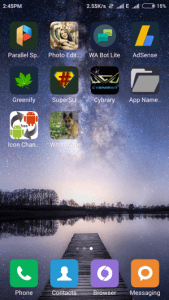
-
Use WhatsApp, messenger, we chat etc in one app
Using computer (any operating system ) you can use Whatsapp, Skype, we chat, Google Hangouts, Facebook messenger, ICQ, Stream, Slack, Hipchat, Telegram, Chatwork, Groupme, Gitter, Grape, Discord, Flowduck, Yahoo messenger, Tencent QQ, XMPP (Jabber), WIRE, Matter most, Rocket.chat, DingTalk, Dasher, Noysi, BearyChat, Missive, Zalo, Crisp, Flock simultaneously. All in one messenger (size: 1.3 MB) Chrome extension help use in one messenger app.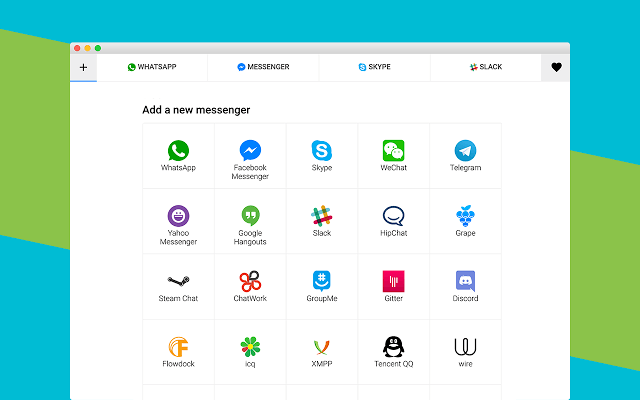
Using Franz size 64 MB a software available for all operating system also makes easy to use this messenger in one software. This app is available for all operating system mean Window, Linux, MacOS.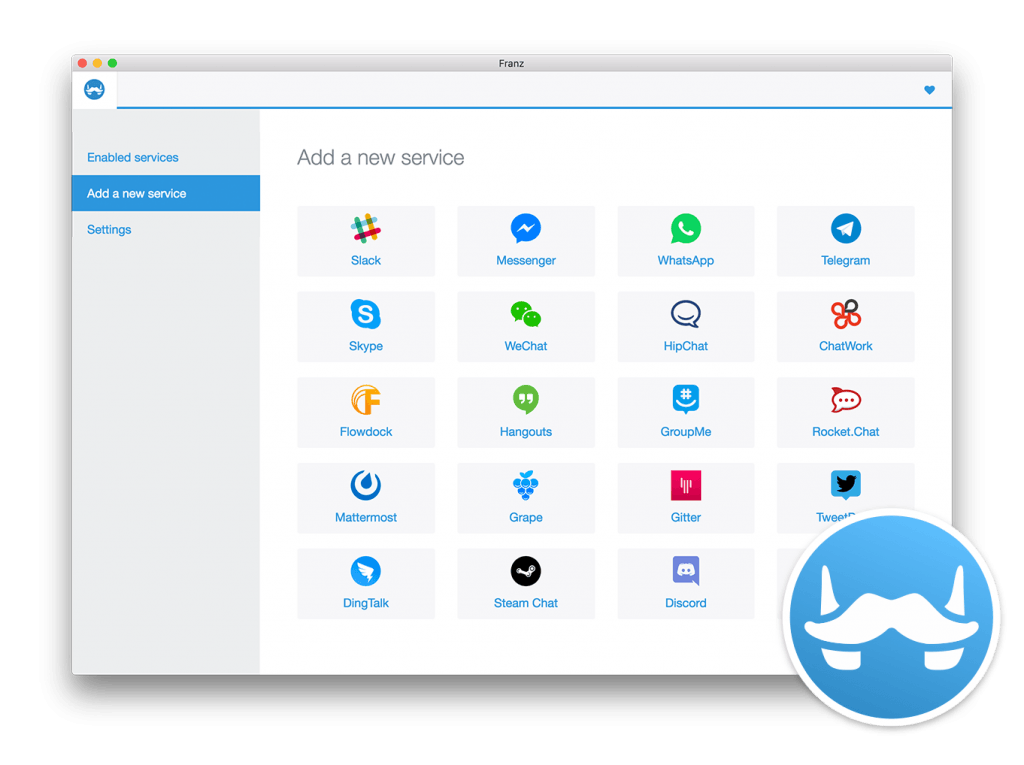
-
Clear all WhatsApp messages at once
Is your WhatsApp slow or you want to hide some message by deleting? if yes follow this method to delete all WhatsApp message with one click open WhatsApp settings→Chats→Chat history and delete all message at once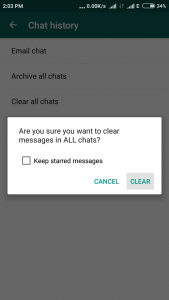
-
Message to block contacts
- Run dual WhatsApp
- Make the group with your number and person who block you
- Now you can message him/her.
With the help of parallel space which allows you run 2 WhatsApp accounts, you can message to any number here is the procedure
-
Type in Bold, Strikethrough, and italic
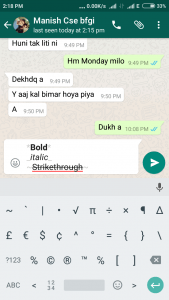
This is a very cool feature by the company for heightening important line.- For Typing in bold type content between in **, for example, *opentechinfo*
- To use Italic font add ”_” around the content, for example, _opentechinfo_
- For typing in Strikethrough add ”~” around the content, for example, ~opentechinfo~
-
Use WhatsApp on Bluetooth
There are two ways to use WhatsApp on Bluetooth.- By Bluemess -Bluetooth messenger: Basically this is an app for sending the message by Bluetooth
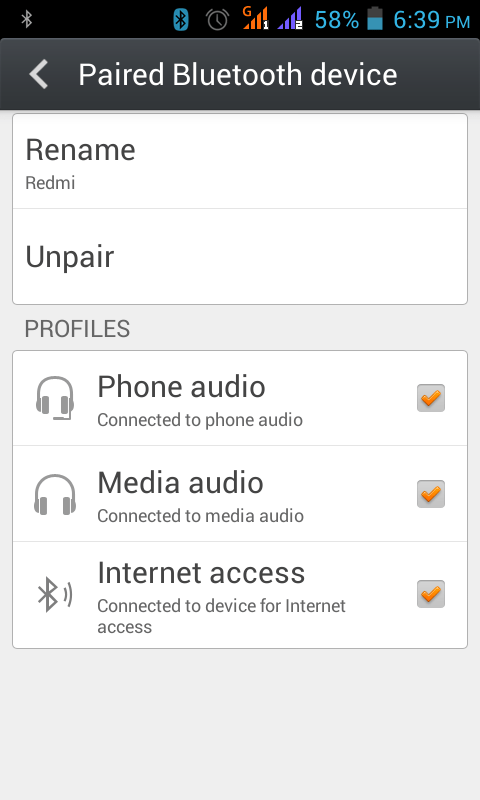
- By sharing the internet through Bluetooth here is simple to share your connection through Bluetooth turn on Bluetooth after that go to system settings→More→Tethering & portable hotspot and enable Bluetooth tethering on both device and pair with each other now turn connection from 1st phone and on 2nd phone go to Bluetooth choose device and click on internet access as shown in screenshot
Tricks that are working not more
There are some tricks that I read on the internet but not working given the blow.
Prank someone by a message
In past few years, a message looks like and when you send it to someone WhatsApp will automatically close. Now Company fixed this feature on his next app version.
Create a fake chat
Due to updates now WhatsApp interface is changed so this trick also working not more but you can create fake chat of a previous looking version with the help of whatsfake or yazzy.
Reading someone message by copying the database folder
Seriously too many bloggers posting hack WhatsApp by copying the files of database folder but I have tried this trick and it is not working. When we change number company detects this and you can’t restore message although there will option for restoring message you can’t.
Use WhatsApp free for the lifetime:
Now WhatsApp is completely free. There are no charges. So no need of this trick.
Hide photo and videos
When we install Whatsapp it makes some folders in file manager some of these folders are not shown photos videos in the gallery. So you can hide photos or videos using these folders. Move your photos videos to given folder to hide from the gallery.
Whatsapp→Profile picture (New version does not create any Profile picture folder so you can’t hide photos and videos)
Whatsapp→Profile picture (New version does not create any Profile picture folder so you can’t hide photos and videos)
Hope you enjoy these WhatsApp tricks if you have any problem with any trick please comment here I will help you.







Do you need to increase your credit score?
Do you intend to upgrade your school grade?
Do you want to hack your cheating spouse Email, whatsapp, Facebook, instagram or any social network?
Do you need any information concerning any database.
Do you need to retrieve deleted files?
Do you need to clear your criminal records or DMV?
Do you want to remove any site or link from any blog?
you should contact this hacker, he is reliable and good at the hack jobs..
contact : cybergoldenhacker at gmail dot com